Instagram Story Downloader
Download and archive Instagram Stories and Highlights anonymously before they disappear.
Not affiliated with Instagram or Meta. By using this tool you agree to our Terms of Service and Privacy Policy.
Download Stories in 3 Easy Steps
Follow these quick steps to save active stories and pinned highlights directly to your gallery:
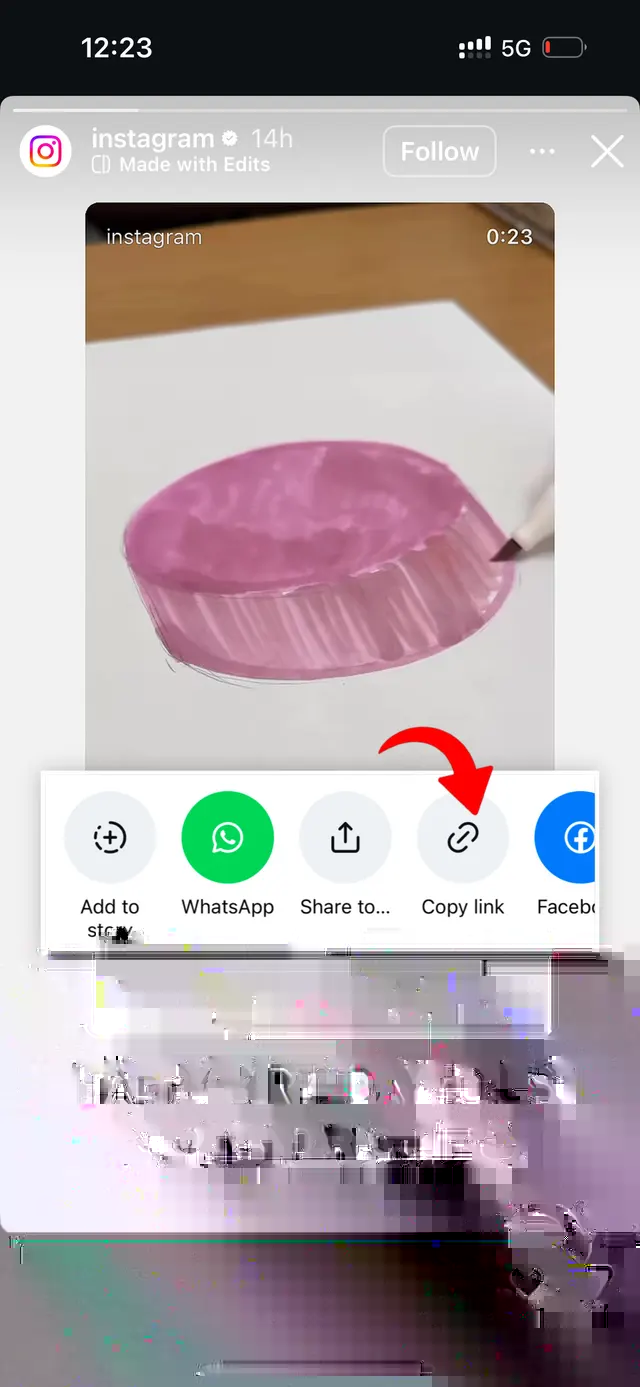
Copy Story Link
Open Instagram, tap the three dots or Share icon on the story or highlight, and select 'Copy Link'.
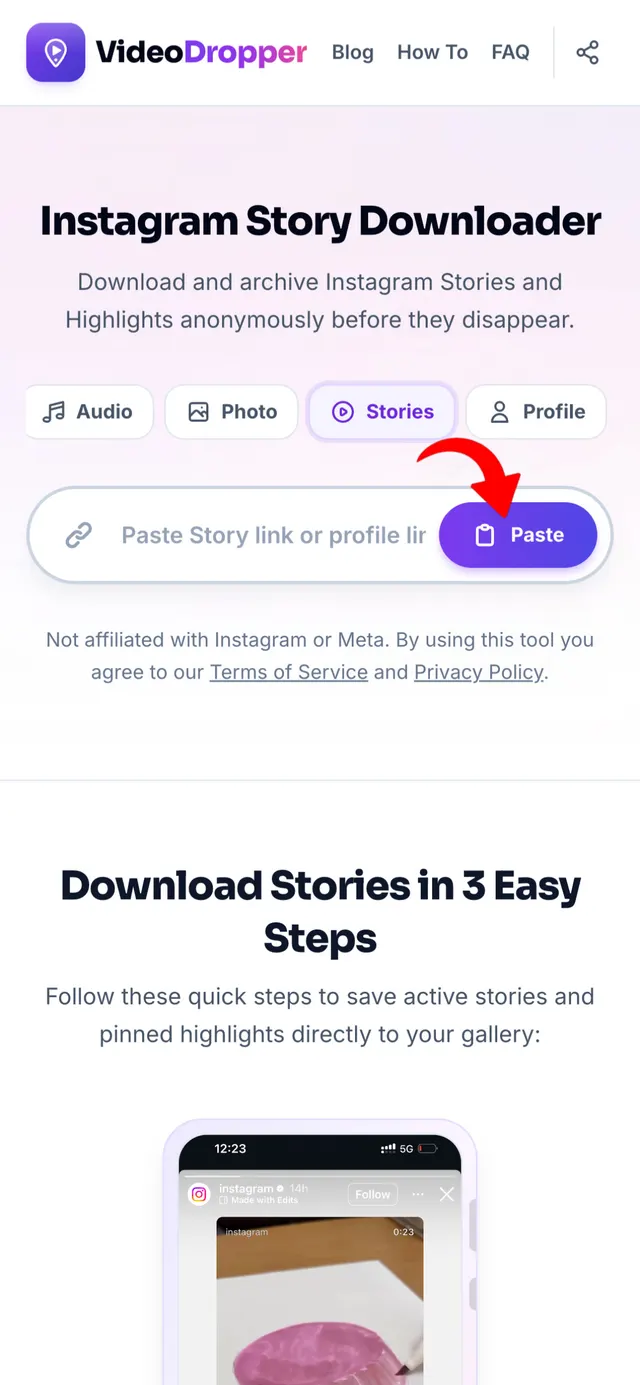
Paste URL Here
Return to VideoDropper.app, paste the copied story link into the input box above, and click Download.
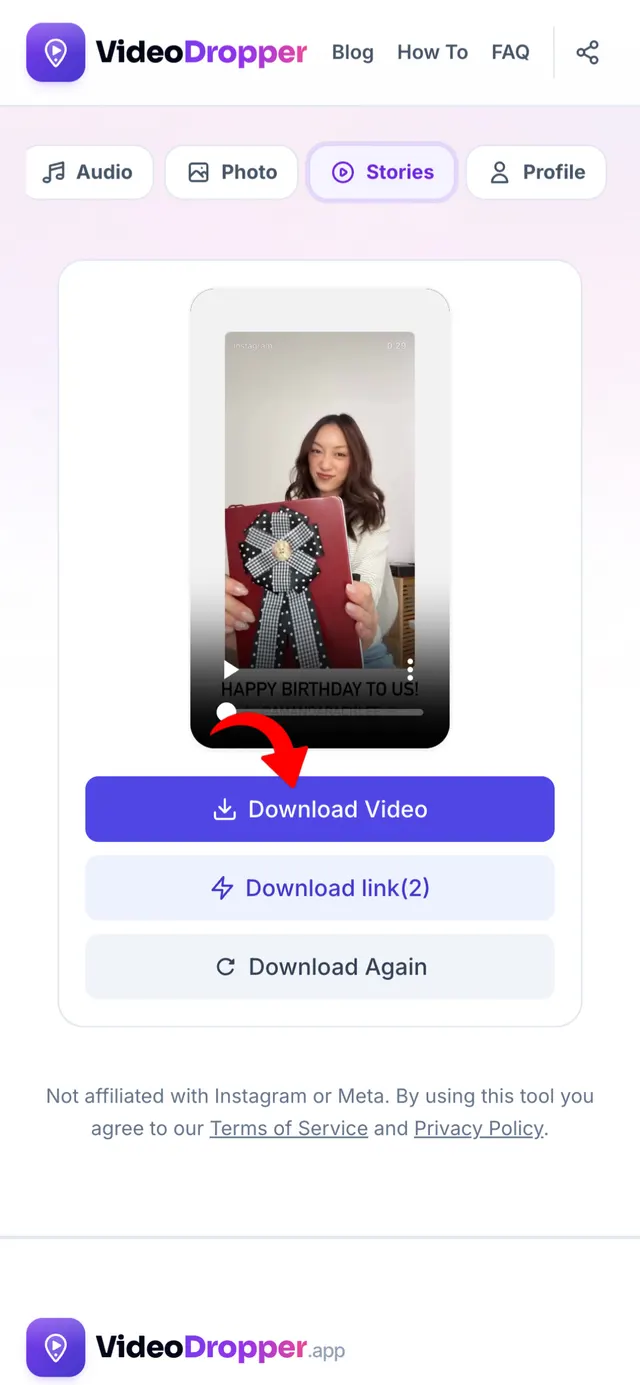
Save Anonymously
Preview the active story and save high-resolution MP4 video or JPG photo files directly to your gallery.
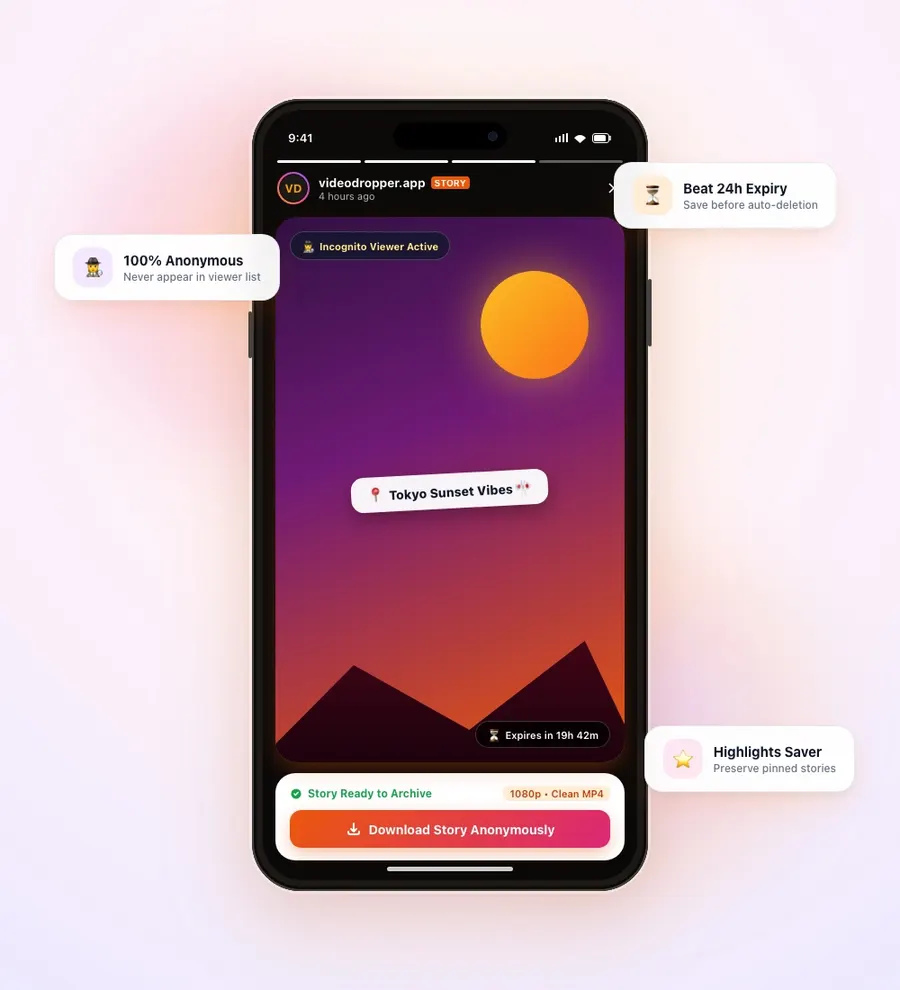
The Safest Way to Download Instagram Stories
Instagram Stories are meant to be temporary, expiring automatically 24 hours after they are posted. But what if you want to keep a memorable announcement, behind-the-scenes footage, or a recipe shared on a story?
VideoDropper enables you to archive stories and pinned highlights permanently in original 1080p video and photo quality.
Best of all, your identity is completely protected. When you fetch a story through our servers, Instagram registers the server proxy rather than your personal account — meaning the account owner will never see your username on their story viewers list.
Why Download Instagram Stories Offline?
Because Instagram Stories vanish automatically after 24 hours, priceless personal moments, limited-time business promotions, and creator insights disappear forever unless saved to external storage.
Saving stories and highlights offline gives you unconditional ownership of fleeting content without leaving digital footprints. Here is why saving Stories offline is essential:
Permanent Archival Beyond 24 Hours
Never worry about missing a limited-time story again. Download the high-definition media file before it vanishes, creating a permanent personal archive on your smartphone or hard drive.
100% Incognito Story Viewing
Browse and save stories without revealing your presence. Because our cloud engine retrieves the media independently, you remain 100% anonymous with zero read receipts or view logs.
Full Highlight Album Support
Creators curate their best memories into Profile Highlights. VideoDropper allows you to extract full highlight collections and individual story frames in their original uncompressed format.
Clean Full HD Video & Photo (No Screen UI)
Screen recording capture leaves message reply boxes, progress timer bars, and usernames. VideoDropper fetches original edge-to-edge 1080p MP4 videos and sharp JPG photos.
Save Stories Without Account Logins
Skip unreliable third-party store apps that demand your Instagram password or bombard you with intrusive ads. VideoDropper works smoothly inside your default browser with zero login requirements.
Frictionless Cross-Platform Sharing
Easily forward funny or informative stories to friends over WhatsApp, Telegram, or AirDrop without forcing them to open Instagram or encounter account walls.
Save Stories and Highlights with Total Privacy
Developed to deliver the fastest, cleanest, and most private Instagram Story saving experience available.
Instant Story Extraction
Fetch live stories before the 24-hour expiration window closes with rapid cloud processing.
Zero Watermarks
No watermarks, logo overlays, or forced redirects. You get clean, original media files.
Pristine Resolution
Stories are retrieved directly from Instagram's content delivery networks in full 1080p MP4 or high-res JPG.
Highlight Album Saver
Download entire profile highlight collections or select individual story frames from pinned albums.
Anonymous Story Viewer
Never seen in viewer lists. Watch and save stories completely incognito without leaving traces or notifying creators.
Universal Compatibility
Works seamlessly in any browser across iOS (iPhone & iPad), Android, Windows, Mac, and Linux without installing extensions or software.
How to Save Stories on Any Device
iPhone (iOS)
Tap the three dots on the story in Instagram and select 'Copy Link'. Open Safari, go to VideoDropper.app/stories, paste the link, and tap Download to save directly to Files or Photos.
Android
Copy the story or profile URL. Open Chrome, navigate to VideoDropper.app/stories, paste the URL, and save the active story directly to your Android Gallery.
PC / Mac
Copy the story URL from your desktop browser address bar. Open VideoDropper.app/stories, paste the link, and download the full-resolution file to your PC or Mac.
Frequently Asked Questions
Everything you need to know about downloading Instagram Stories and Highlights.
Will the creator know I viewed or downloaded their story?
No! When you use VideoDropper, your identity is completely anonymous. Your account is never connected, and you will not appear in their story viewers list.
Can I download stories after they expire after 24 hours?
Once an un-highlighted story expires after 24 hours, it is removed from Instagram's servers. You must download it while it is still active, or save it if the user pinned it to Highlights.
Can I download Instagram Story Highlights?
Yes! VideoDropper supports both active 24-hour stories and permanently pinned Profile Highlights.
Can I download stories from private accounts?
No, to uphold privacy security and terms of service, VideoDropper only accesses public Instagram accounts.
Is VideoDropper free to use?
Yes, our Instagram Story saver is 100% free with no hidden fees, subscriptions, or daily limits.
What format do downloaded stories save in?
Video stories are saved in high-bitrate MP4 format, and photo stories are saved in high-resolution JPG format.