Instagram Video Downloader
Quick Save your favorite reels, videos, and photos online in high quality
Not affiliated with Instagram or Meta. By using this tool you agree to our Terms of Service and Privacy Policy.
Download Instagram Videos in 3 Easy Steps
Get your favorite content saved to your device in seconds.
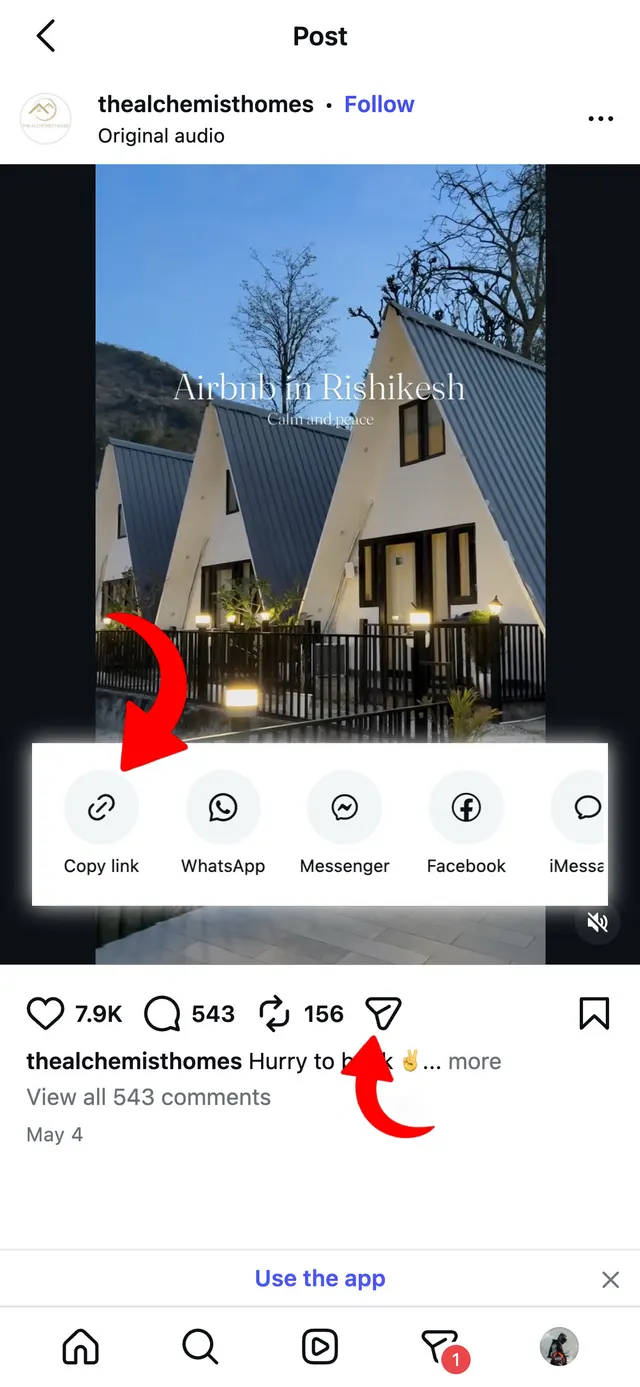
Copy the Link
Open Instagram, find the video or reel, tap Share and select "Copy Link".
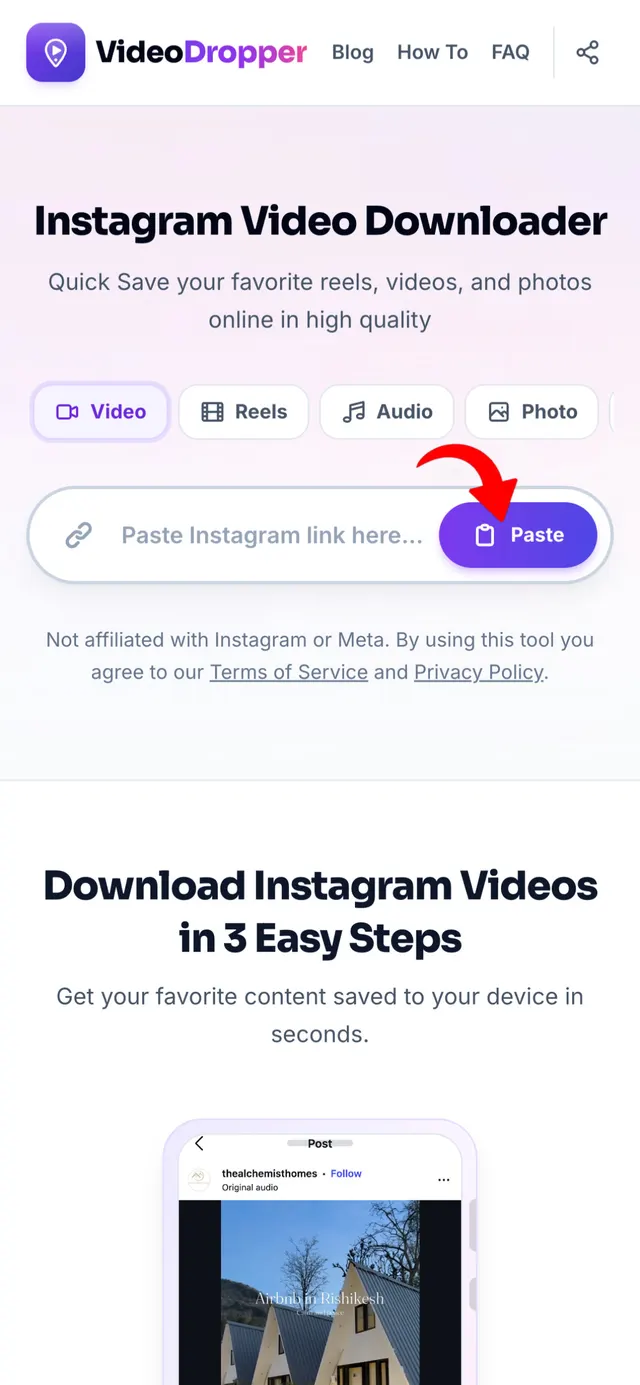
Paste the URL
Return to VideoDropper.app and paste the copied link into the input field.
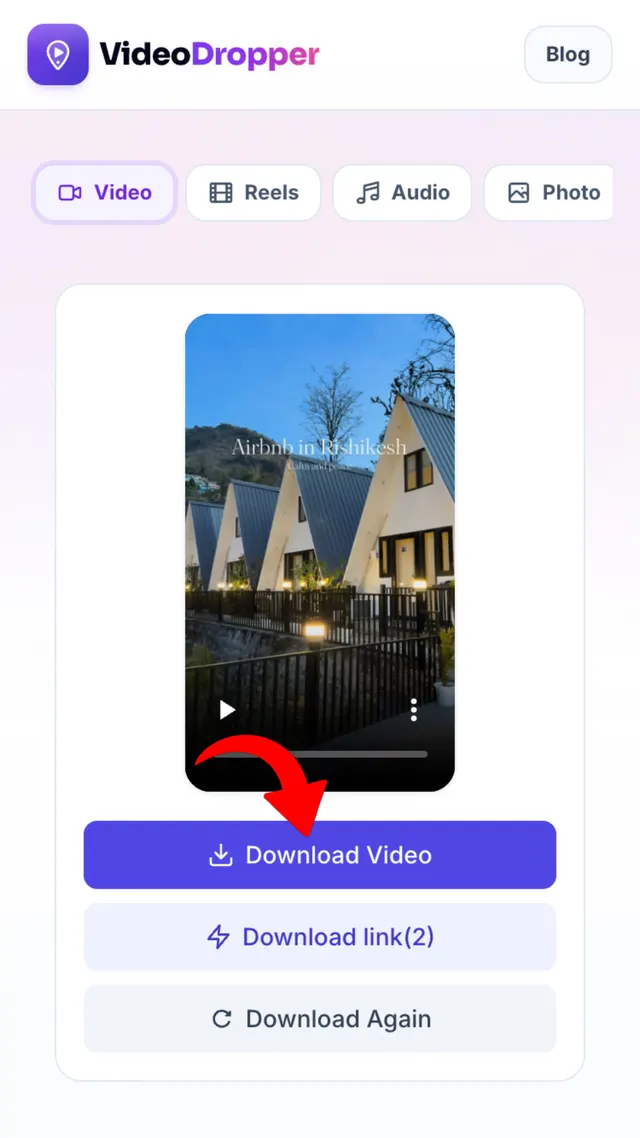
Download & Save
Click Download and save the original-quality media directly to your device.
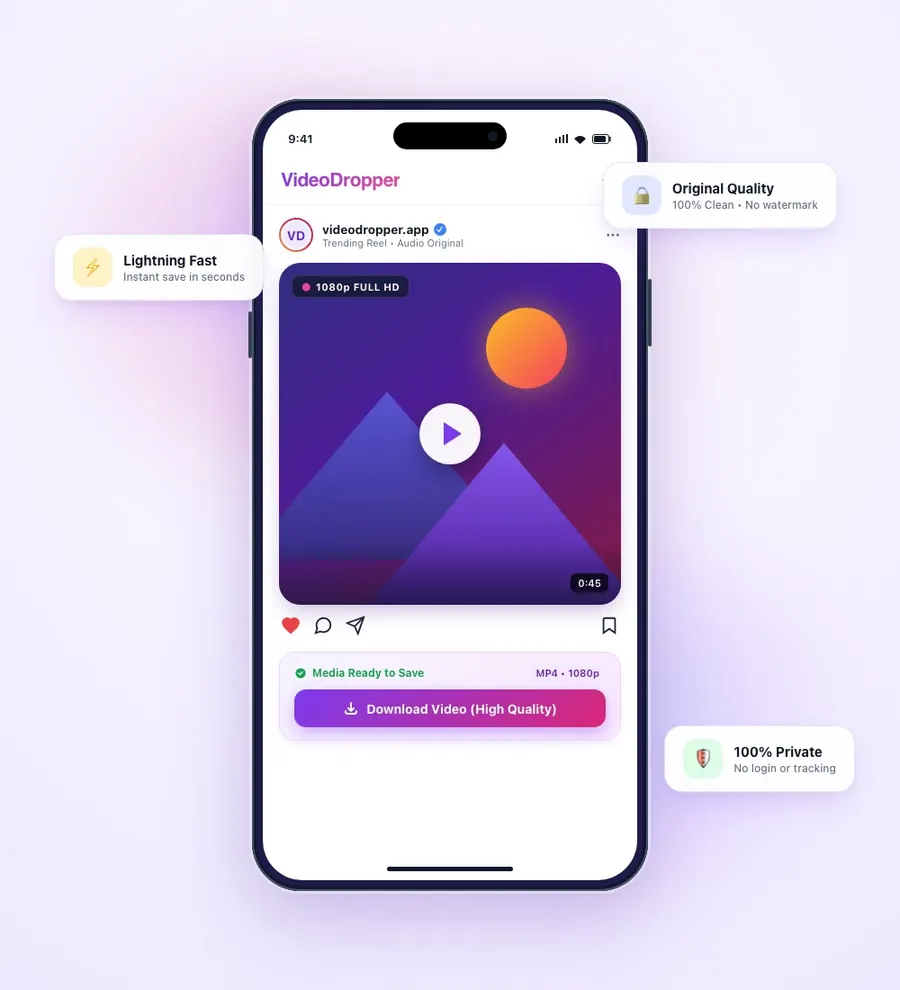
The Best Instagram Downloader — Built for Everyone
Today, Instagram remains the hub of visual creativity, but saving that creativity for personal use is still not a native feature. That's where VideoDropper steps in as the premier choice for millions of users worldwide.
Unlike tools that require sketchy apps or browser extensions, VideoDropper works entirely online. We pull files directly from Instagram's servers, ensuring you get the same 1080p video the creator originally posted.
Privacy is our top priority. We never require login and never track what you download — providing a safe and anonymous environment for all your Instagram download needs.
What Can You Download?
Each tool is purpose-built for a specific Instagram format — from saving vertical Reels and multi-slide carousels to extracting MP3 audio and archiving expiring stories.
VideoDropper is the premier tool to download public Instagram videos in original high-definition clarity. Whether it's a feed clip, IGTV, or a long-form video post, our downloader saves clean MP4 files directly to your device without quality loss, compression, or added watermarks.
- Download original 1080p Full HD MP4 files
- Full audio quality and original bitrate preserved
- No watermarks, branding, or video recompression
- Fast direct browser save without login or registration

Built specifically for short-form vertical video where sound sync and timing are critical. Save trending Reels with audio directly to your Camera Roll or computer in high quality — perfect for creators archiving inspiration, remixing, or offline viewing.
- Save vertical 9:16 videos with crisp studio audio
- One-click save directly to phone gallery or desktop
- No app installation, jailbreak, or extensions needed
- Works smoothly on iPhone, iPad, Android, Mac & Windows

Never settle for low-resolution screenshots that ruin image quality. VideoDropper extracts full-resolution Instagram photos directly from Instagram servers. For multi-slide carousel albums, our system identifies all slides so you can download individual photos or the complete collection.
- Uncompressed original resolution JPG downloads
- Full support for multi-image carousel albums
- Save individual frames or complete slide sets
- Preserves true colors, metadata, and sharpness
Stories disappear after 24 hours, but VideoDropper lets you preserve them permanently. Watch and save public Instagram stories and profile highlights anonymously. Never worry about missed updates, expiring event announcements, or campaign references.
- 100% anonymous story watching and downloading
- Archive 24-hour expiring stories before they disappear
- Download entire highlight albums including cover art
- High-speed lookup by Instagram link or username
When you only want the sound, our Audio Extractor converts any Instagram Reel or video into a high-bitrate MP3 track. Ideal for grabbing trending audio clips, viral background music, podcast snippets, or speeches for offline listening and creative editing.
- Extract pristine audio up to 320kbps MP3 format
- Fast audio conversion without video data bloat
- Save trending background music and viral audio clips
- Compatible with all audio players and video editing tools
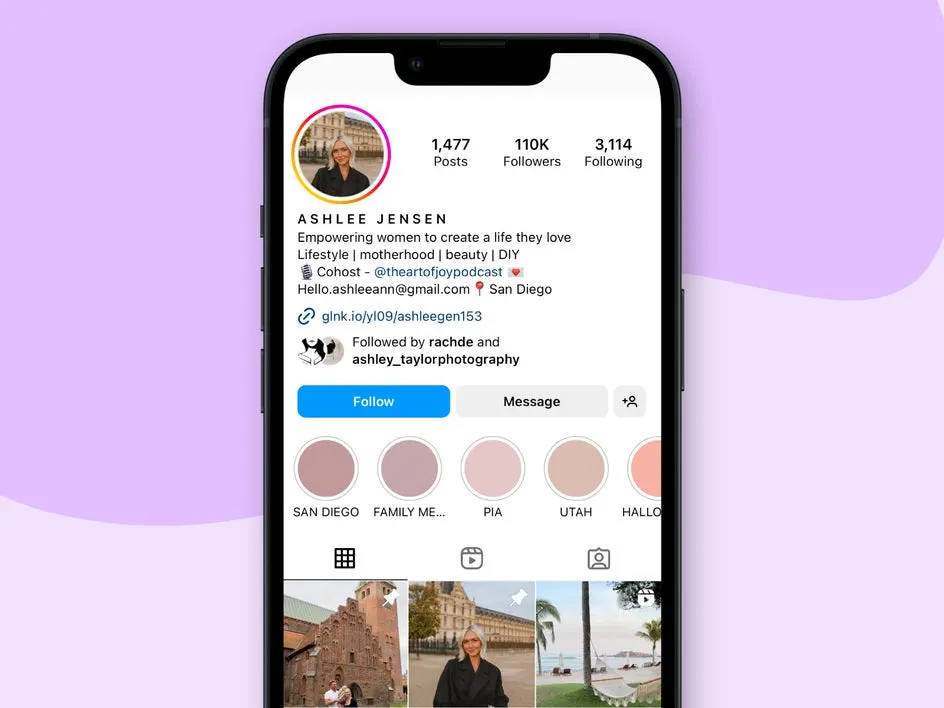
Instagram restricts profile photos to tiny circular thumbnails in the mobile app. VideoDropper allows you to view and download full-size, uncropped profile avatars from any public Instagram account in their original uploaded high resolution.
- Full-size, uncropped high-resolution profile pictures
- Zoom in and inspect avatar details with crystal clarity
- Instant lookup using either username or profile URL
- Completely anonymous — account owners are never notified
Note: Only publicly shared posts and profiles are supported. Private account content is protected by Instagram privacy rules.
How to Download Instagram Video & Photo on Any Device
iPhone (iOS)
Open Instagram and copy the link. Open Safari, go to VideoDropper.app and paste the link. Tap Download and choose 'Download' in the Safari popup. The file saves to your 'Files' app.
Android
Copy the Instagram post link. Open Chrome or any mobile browser, visit VideoDropper.app and paste the link. Click download — the media saves directly to your Gallery or Downloads folder.
PC / Mac
Copy the URL from your browser's address bar. Go to VideoDropper.app, paste the link, and click Download. Choose your save location — done in seconds.
Built for Speed, Privacy & Simplicity
Developed to deliver the fastest, cleanest, and most reliable Instagram downloading experience available.
Ultra-Fast Processing
Our optimized extraction engine parses Instagram URLs and generates direct high-speed download links in under two seconds on average.
No Malware or Redirects
No fake download buttons, forced redirects, or app installs. Clicking download just downloads the file straight from the source.
1080p & 4K Clarity
Files are extracted directly from Instagram CDN servers in original resolution. No lossy recompression, blurred downsampling, or added watermarks.
100% Anonymous & Private
Never enter your Instagram password or link personal accounts. Stories and reels can be watched and saved without notifying the creator.
Unlimited Downloads
No daily download limits, paywalls, or credit card requirements. Save single videos, whole carousel albums, or audio clips as often as you want.
Universal Compatibility
Works seamlessly in any browser across iOS (iPhone & iPad), Android, Windows, Mac, and Linux without installing extensions or software.
Frequently Asked Questions
Quick answers about VideoDropper.
Is it free to use VideoDropper?
Yes, VideoDropper is completely free. We don't have any hidden costs, subscriptions, or limits on the number of downloads.
Do I need to install any software?
No, VideoDropper is a web-based tool. It works in any modern browser on mobile, tablet, or desktop — no installation needed.
Can I download videos from private accounts?
Currently, VideoDropper only supports content from public Instagram accounts to respect user privacy and platform security.
Is it anonymous to download stories?
Yes! When you use VideoDropper to save a story, the uploader will not be notified and your identity remains completely anonymous.
Where are my files saved after downloading?
On mobile, files go to your 'Downloads' folder or 'Photos' app. On desktop, they are saved to your default browser download location.
Can I download Instagram audio/MP3?
Yes, when you paste a video link, our tool gives you the option to download just the audio track in high-quality MP3 format.