Instagram Profile Picture Downloader
View and download full-size Instagram profile pictures in HD resolution instantly — 100% anonymous.
Not affiliated with Instagram or Meta. By using this tool you agree to our Terms of Service and Privacy Policy.
View & Save Profile Photos in 3 Easy Steps
Zoom in and download full-size profile pictures with complete simplicity:
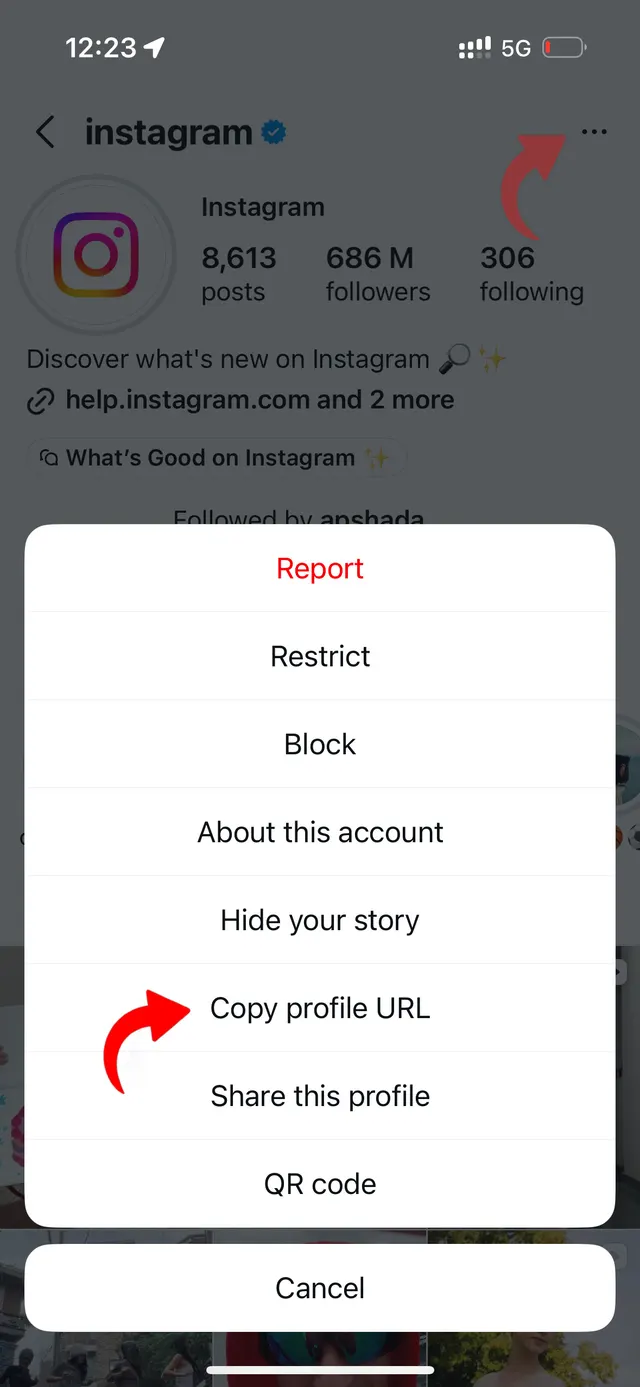
Copy Handle or Link
Copy the user's @username or profile URL from the Instagram app or browser.
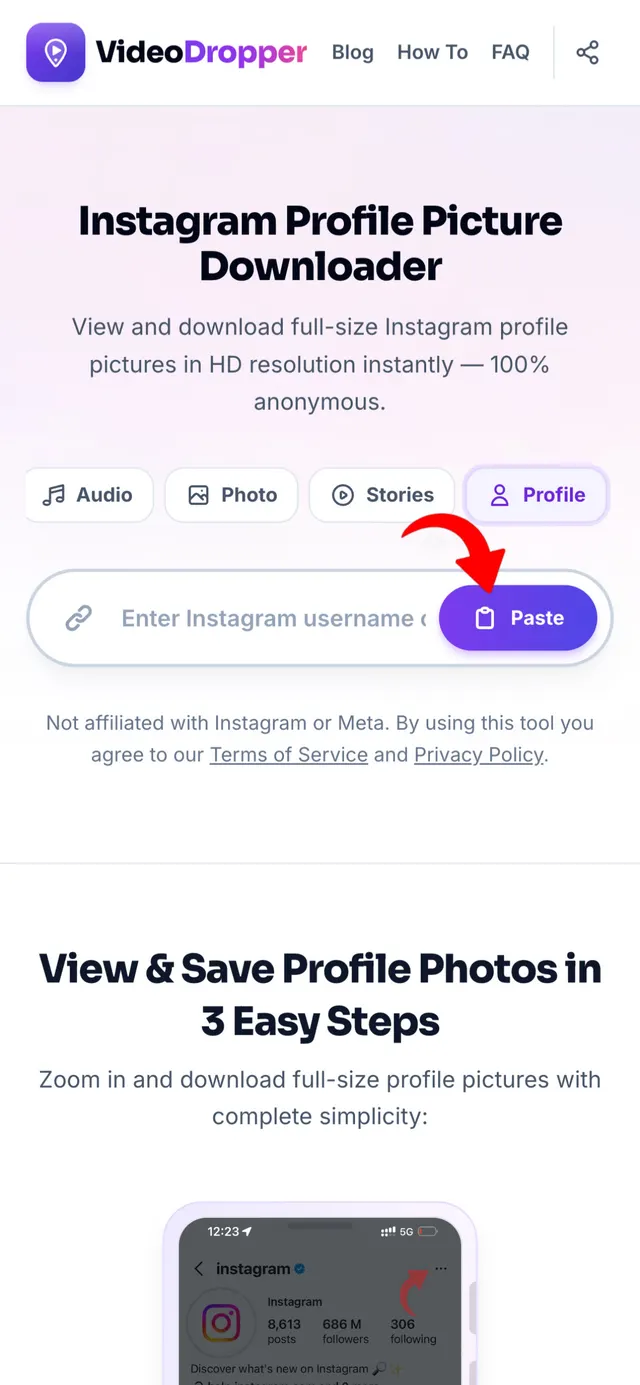
Paste URL Here
Paste the handle or link into the input bar above and click Download.
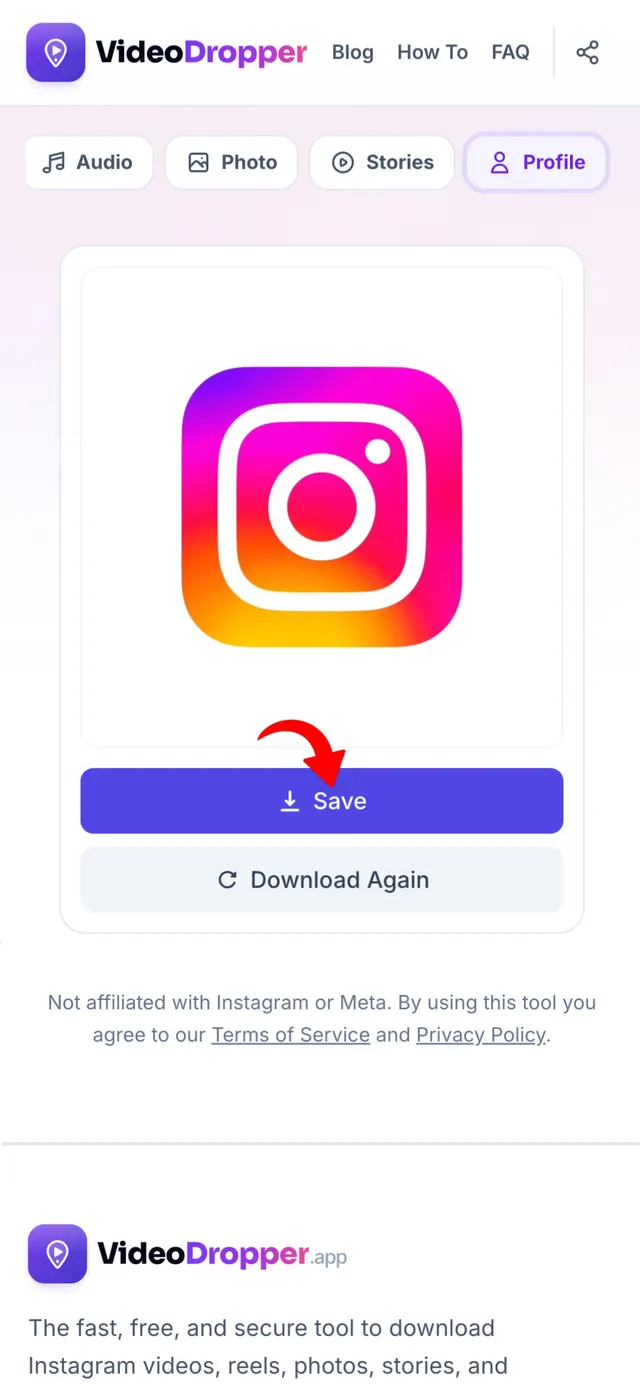
View & Save Full HD
View the full-size uncropped profile picture and save the high-res JPG directly.
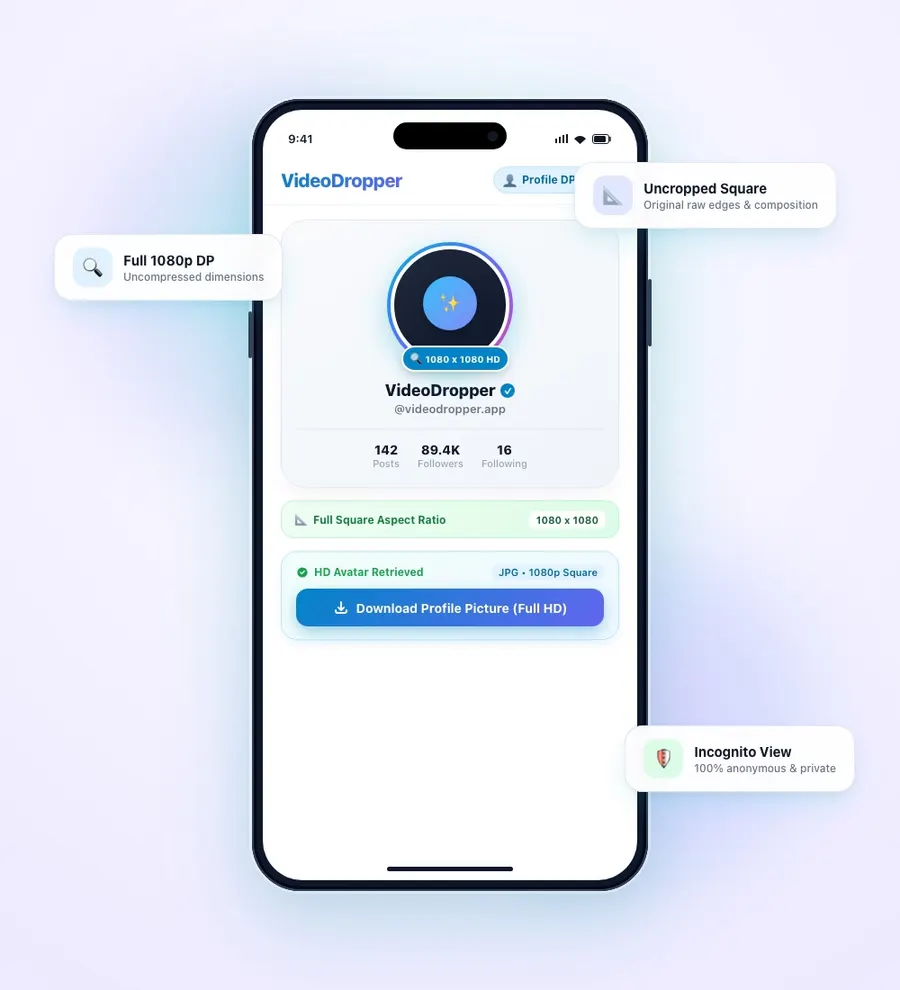
View Instagram Profile Pictures in Full Resolution
Instagram only displays user profile avatars inside tiny 150x150 circular thumbnails, preventing you from zooming in or viewing fine details.
When a user sets their profile picture, Instagram's servers store a high-resolution version (up to 1080x1080). VideoDropper queries Instagram's API to fetch the full-size raw JPG file, displaying the uncropped square avatar in crystal-clear definition.
Whether you need to identify an acquaintance, check a company logo, or save a high-res portrait, our tool operates anonymously without requiring any Instagram login.
Why View Instagram Profile Pictures in Full HD?
Because Instagram restricts profile pictures to small round icons within the official mobile app, verifying accounts, inspecting artwork, and identifying users is needlessly frustrating.
VideoDropper unlocks the uncompressed square source file uploaded by the account owner, displaying every pixel in full clarity. Here is why downloading profile pictures in HD is essential:
Full 1080p Image Resolution Access
Never struggle with blurry screenshot zooms again. VideoDropper connects directly to Instagram's image servers to extract the original high-resolution JPG file up to 1080x1080.
Uncropped Original Square Composition
Instagram automatically clips all avatars into circular frames, cutting off the edges, background subjects, and logo text. VideoDropper displays the complete original square composition.
View Private Account Profile Pictures
While posts on private profiles remain restricted, Instagram profile pictures are always public. You can safely inspect and enlarge the avatar of any private profile.
100% Anonymous & Zero View Logs
The account holder receives zero alerts, view logs, or tracking data. Your avatar searches and downloads are completely private, confidential, and untraceable.
Clean High-DPI Avatar Downloads
Download pristine JPG files directly to your camera roll or desktop for graphic design references, contact card avatars, or personal photo collections.
Frictionless Cross-Device Sharing
Share uncompressed profile pictures directly with colleagues and friends via messaging apps without forcing them to install Instagram or sign into an account.
Why View Profile Pictures with VideoDropper?
Developed to deliver the fastest, cleanest, and highest resolution Instagram profile picture viewing experience available.
Ultra-Fast Search
Enter any @username or profile URL to fetch the full-size original avatar in under two seconds.
Zero Watermarks
No watermarks, logo overlays, or forced redirects. You get a clean, pristine avatar download.
Full 1080p Resolution
Avatars are retrieved directly from Instagram servers in their uncompressed resolution with maximum detail.
Uncropped Square Frame
See the full square image as originally uploaded without Instagram's circular mask cropping the corners.
100% Anonymous & Private
Never enter your Instagram password or link personal accounts. Profile pictures can be viewed anonymously without notifying the user.
Universal Compatibility
Works seamlessly in any browser across iOS (iPhone & iPad), Android, Windows, Mac, and Linux without installing extensions or software.
How to Download Profile Pictures on Any Device
iPhone (iOS)
Copy the profile link or username from Instagram. Open Safari, visit VideoDropper.app/profile, paste the input and tap Download. Save the high-res JPG directly to Photos.
Android
Copy the profile link or enter the @username. Open Chrome, navigate to VideoDropper.app/profile, paste the handle, and save the full-resolution JPG directly to your Gallery.
PC / Mac
Copy the profile link from your browser address bar. Open VideoDropper.app/profile, paste the link, and click Download to save the full-size image file to your computer.
Frequently Asked Questions
Common questions about viewing and downloading Instagram profile pictures.
Can I view profile pictures from private accounts?
Yes! While posts on private accounts are hidden, Instagram profile pictures are always public, allowing you to view and save the full-size avatar.
Will the user know I viewed their profile picture?
No, VideoDropper is completely anonymous. The user will never receive any notification or log of your search.
What resolution are downloaded profile pictures?
We extract the highest resolution stored on Instagram servers (up to 1080x1080 HD), giving you a crystal-clear image.
Do I need an Instagram account to use this tool?
No! You do not need to register, log in, or have an active Instagram account to view or download profile pictures.
Is there any limit or fee?
VideoDropper is 100% free with no limits on how many profile pictures you can search and download.
Can I search with just a username?
Yes! You can enter either a full URL (e.g. instagram.com/username) or just the handle (e.g. username).