Instagram Photo Downloader
Save high-resolution photos and multi-slide carousel posts in original uncompressed quality.
Not affiliated with Instagram or Meta. By using this tool you agree to our Terms of Service and Privacy Policy.
Download Photos in 3 Easy Steps
Follow these quick steps to save any Instagram photo or carousel to your gallery:
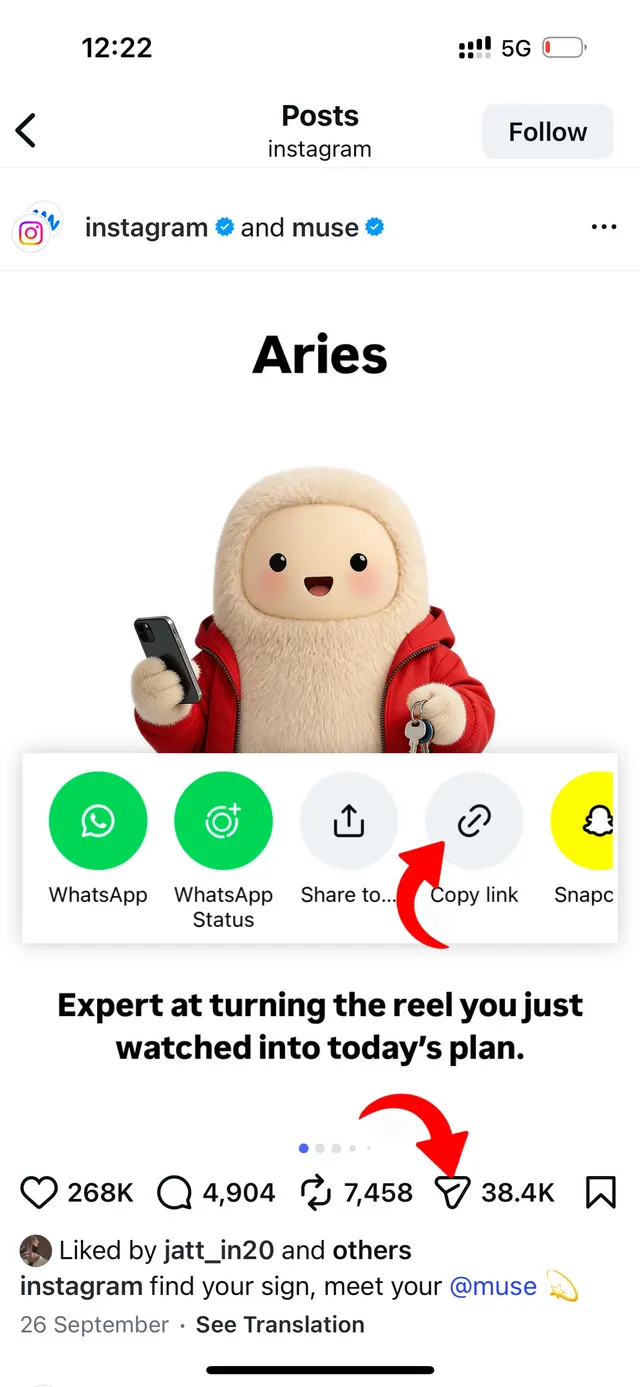
Copy Photo Link
Open Instagram, find the photo or carousel post you want to save, tap Share (or the three dots) and select 'Copy Link'.
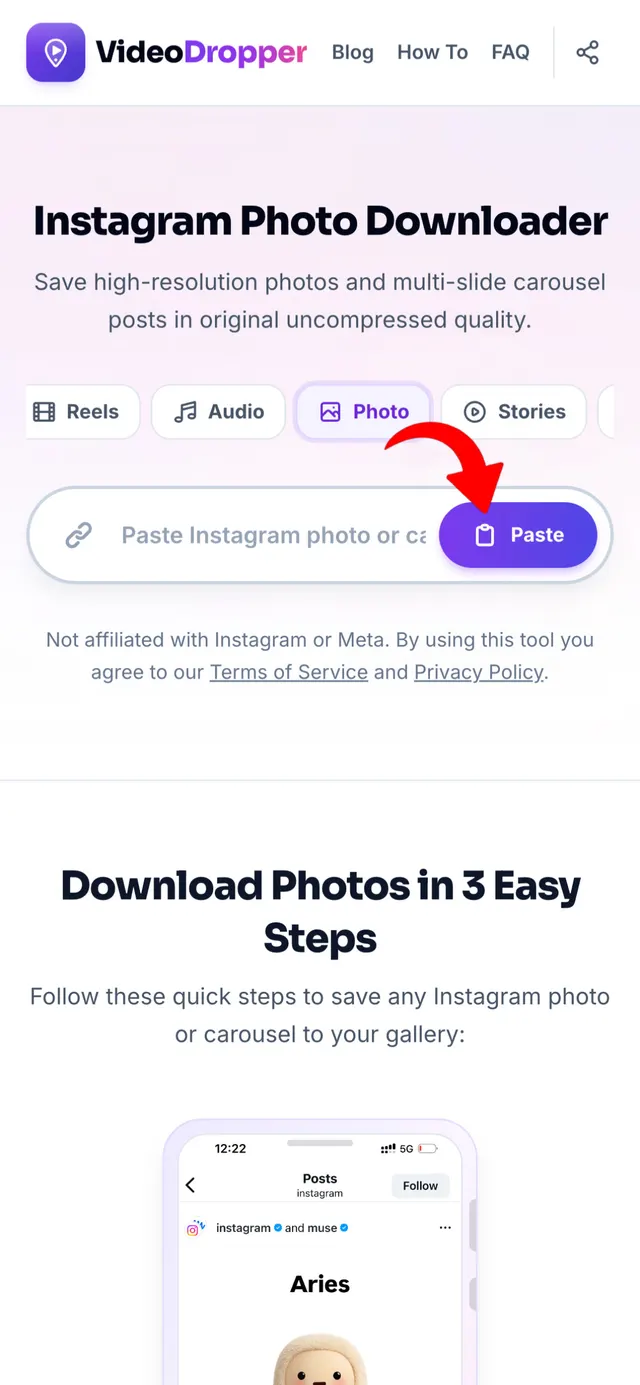
Paste URL Here
Return to VideoDropper.app, paste the photo URL into the input field above, and click Download.
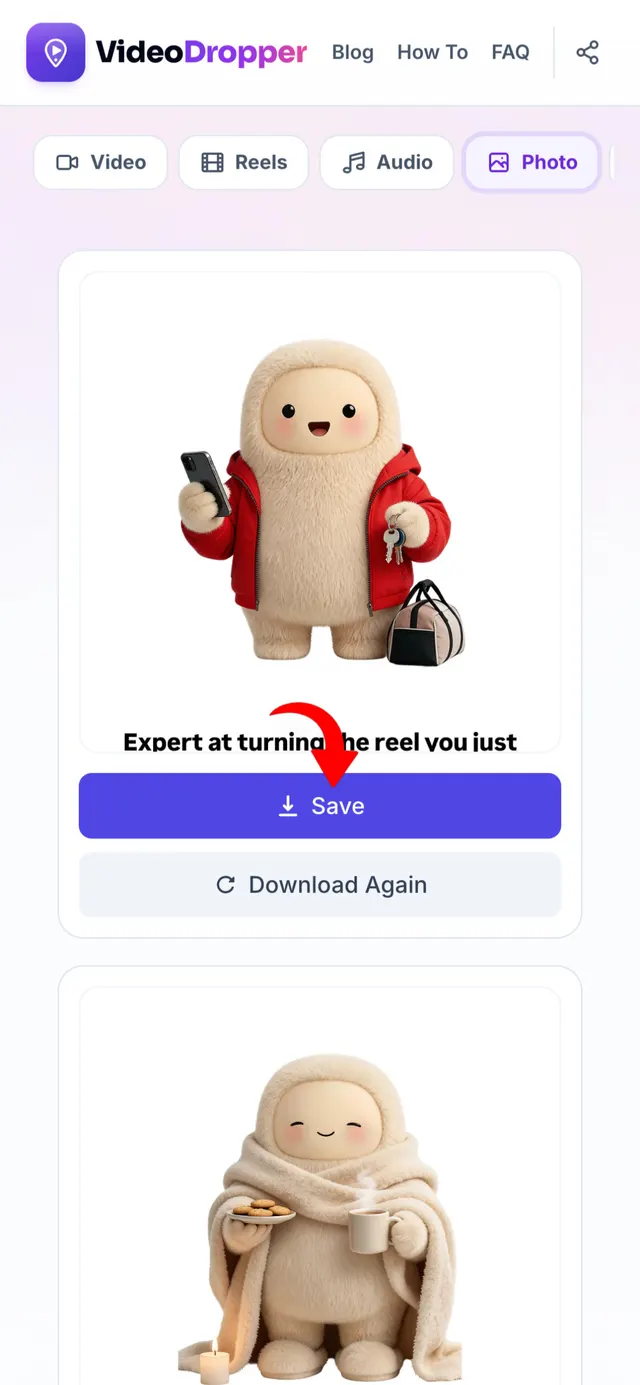
Save High-Res Photo
Preview your photo or browse all carousel slides, then click Download to save crystal-clear original JPGs.
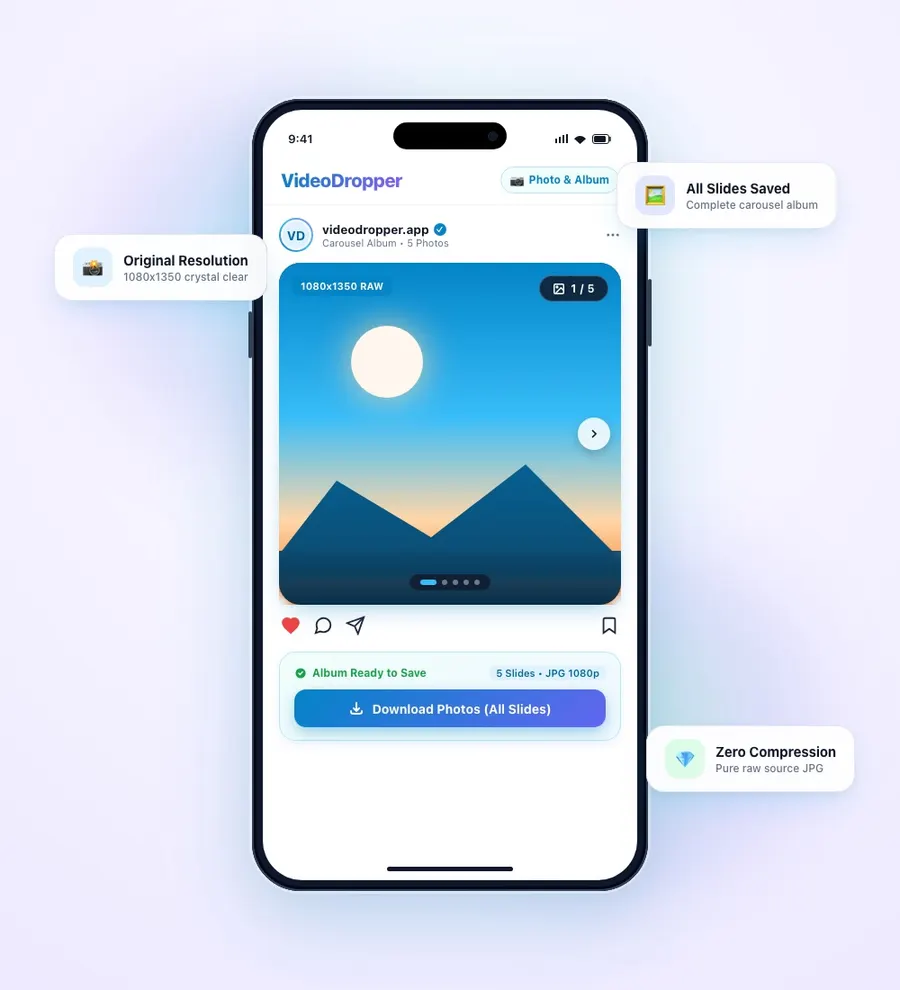
Download Instagram Photos in Full Resolution
Screenshots ruin the true quality of Instagram photography. Taking a screenshot captures unnecessary app UI buttons, lowers pixel density, and compresses details into a blurry image.
VideoDropper retrieves the raw source file directly from Instagram's content delivery networks. This means you receive the exact high-resolution JPG image uploaded by the creator, whether it's a 1080x1350 portrait, widescreen landscape, or multi-photo carousel album.
Perfect for graphic designers, digital artists, moodboard creators, and photography enthusiasts who need crisp, uncompressed images for wallpapers, prints, or digital archives.
Instagram Photo Saving Advantages:
While bookmarked Instagram photos stay tucked inside your profile collections, they depend on creator accounts and server availability. If a creator deletes a post, archives their grid, or deactivates their account, high-resolution visual memories vanish forever.
Saving raw JPG images to your local device guarantees permanent, lossless preservation without compression or watermark artifacts. Here is why downloading Instagram photos offline is essential:
Full Carousel Post Unbundling
Instagram posts often contain up to 10 photos or videos in a single carousel slide. VideoDropper automatically identifies each individual slide, giving you the flexibility to download the entire album at once or pick only the specific images you love.
Original Aspect Ratio & DPI
Unlike screenshots which force images into your phone screen's dimensions, our tool downloads the original dimensions — 1080x1080 square, 1080x1350 portrait (4:5), or 1080x566 landscape — maintaining proper proportions for wallpapers and photo prints.
Clean Wallpapers & Design Assets
Whether you want to set a breathtaking travel photo as your desktop background or collect visual assets for a creative mood board, you get clean, artifact-free JPG files without app overlays or watermarks.
Permanent Archival Against Deleted Media
Creators regularly archive posts, rebrand accounts, or delete older photo albums. Saving high-resolution files locally gives you lifelong access to inspirational photography, recipes, and creative design references.
Zero UI Clutter & No Screenshot Compression
Taking screenshots leaves distracting battery icons, notification banners, usernames, and app controls. VideoDropper fetches clean, edge-to-edge JPG files directly from Instagram's content delivery networks.
Frictionless Cross-Platform Sharing
Directly share high-resolution images across messaging apps like WhatsApp, Telegram, iMessage, AirDrop, or Slack without forcing friends and colleagues to sign into Instagram or navigate web links.
Why Download Photos with VideoDropper?
Developed to deliver the fastest, cleanest, and highest resolution Instagram photo downloading experience available.
Ultra-Fast Processing
Our optimized extraction engine parses Instagram Photo & Carousel URLs and generates direct download links in under two seconds.
Zero Watermarks
No watermarks, logo overlays, or forced redirects. You get a clean JPG download identical to the original picture.
Uncompressed Quality
Photos are fetched directly from Instagram CDN servers in full resolution with original color grading and zero lossy downscaling.
Carousel Album Grabber
Download all slides from multi-image carousel posts in one click, or select only the specific high-resolution images you want.
100% Anonymous & Private
Never enter your Instagram password or link personal accounts. Photos can be saved anonymously without notifying the creator or tracking downloads.
Universal Compatibility
Works seamlessly in any browser across iOS (iPhone & iPad), Android, Windows, Mac, and Linux without installing extensions or software.
How to Download Photos on Any Device
iPhone (iOS)
Open Instagram, tap the three dots on the post and choose 'Copy Link'. Open Safari, visit VideoDropper.app/photo, paste the link, and tap download. Save the high-resolution JPG directly to your Photos app.
Android
Find the photo on Instagram, tap Share / three dots, and select 'Copy Link'. Open Chrome, navigate to VideoDropper.app/photo, paste the link, and save full-resolution JPGs directly to your Gallery.
PC / Mac
Copy the URL from your web browser. Go to VideoDropper.app/photo, paste the link, and click Download. Save the uncompressed image directly to your Downloads folder.
Frequently Asked Questions
Common questions about saving Instagram photos and carousels.
Are downloaded photos compressed?
No! VideoDropper fetches the original high-resolution image file uploaded to Instagram's servers, preserving maximum sharpness and detail.
Can I download multi-image carousel posts?
Yes! When you paste a carousel link, our system parses all images and allows you to download each slide individually or in bulk.
Can I download photos from private profiles?
No, to respect privacy laws and Instagram security policies, VideoDropper only supports public posts and media.
Why is VideoDropper better than taking a screenshot?
Screenshots capture screen resolution limits and app UI buttons. VideoDropper downloads the original raw JPG source file without downsampling.
Is there any cost or subscription fee?
VideoDropper is 100% free with no hidden charges, daily download limits, or required accounts.
Where do downloaded photos save?
On iPhone they save to Files/Photos, on Android to your Gallery/Downloads, and on desktop to your standard Downloads folder.