Instagram Audio Downloader
Extract and save crystal-clear MP3 audio from any Instagram Reel or video in seconds.
Not affiliated with Instagram or Meta. By using this tool you agree to our Terms of Service and Privacy Policy.
Extract Audio in 3 Easy Steps
Follow these quick steps to save high-quality MP3 tracks from any Instagram video:
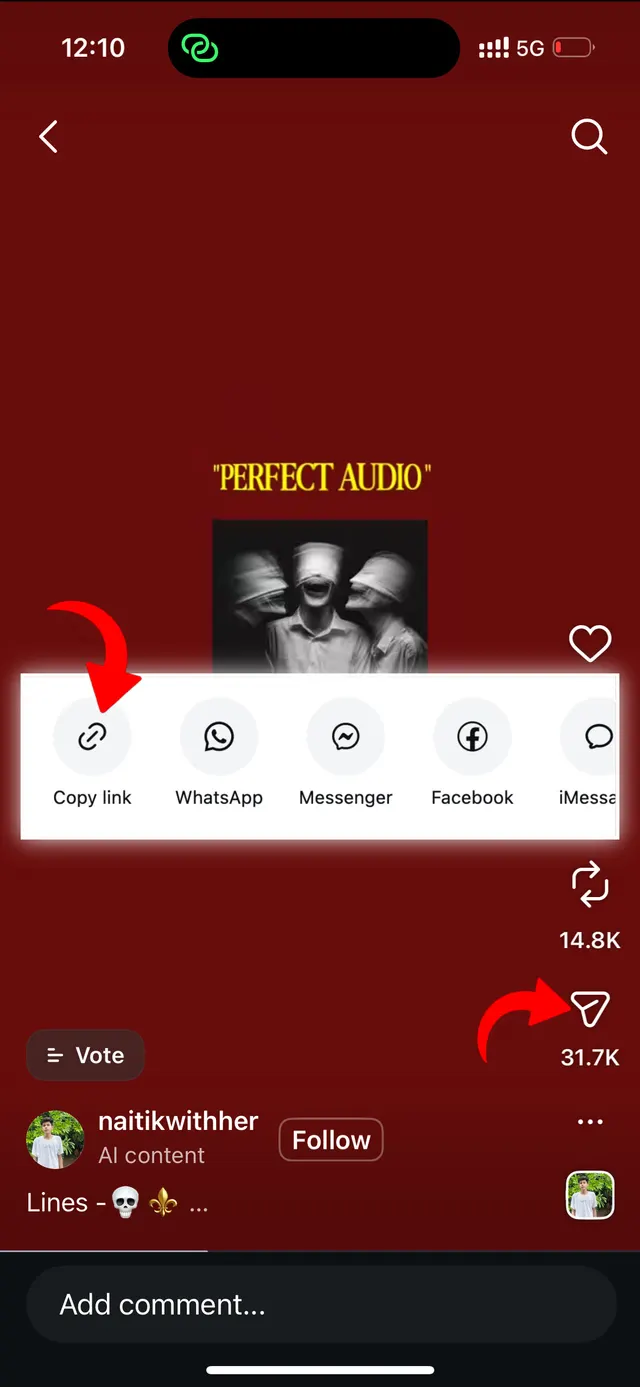
Copy Post Link
Open Instagram, find the Reel or video with the sound you want, tap Share and select 'Copy Link'.
Paste URL Here
Return to VideoDropper.app, paste the video link into the audio converter box above, and click Download.
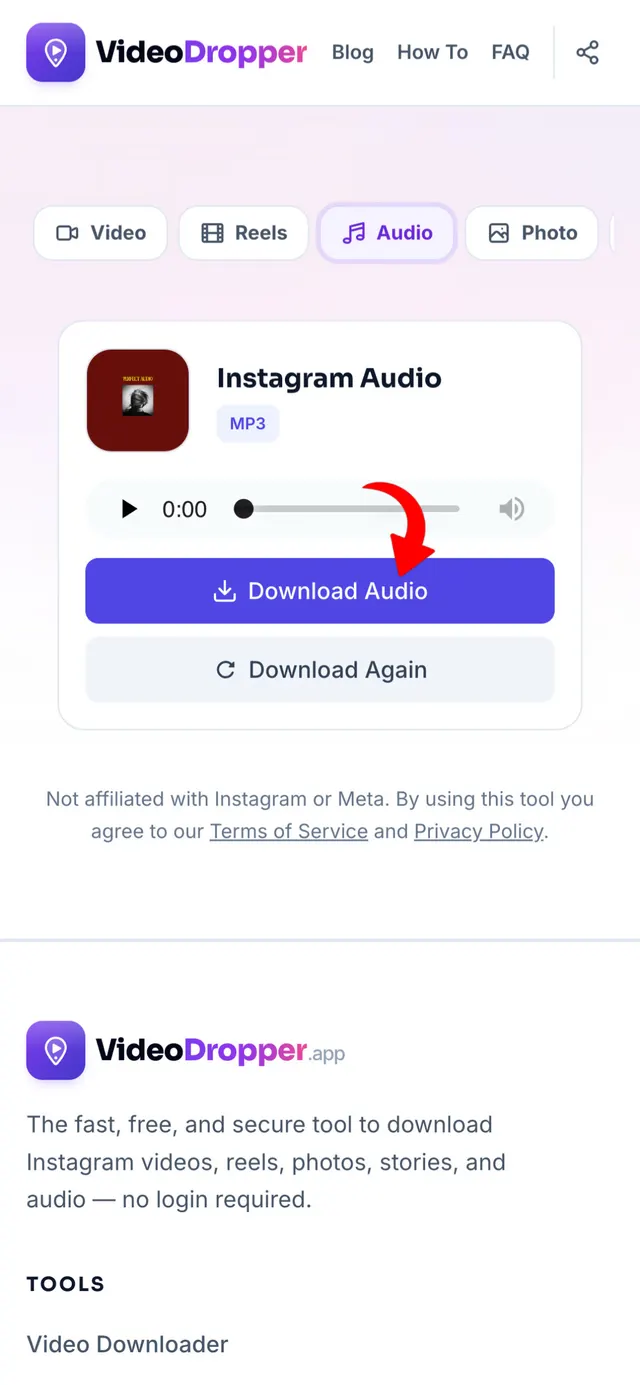
Download Clean MP3
Our server strips the video track and provides a crystal-clear, high-bitrate MP3 ready for your music library.
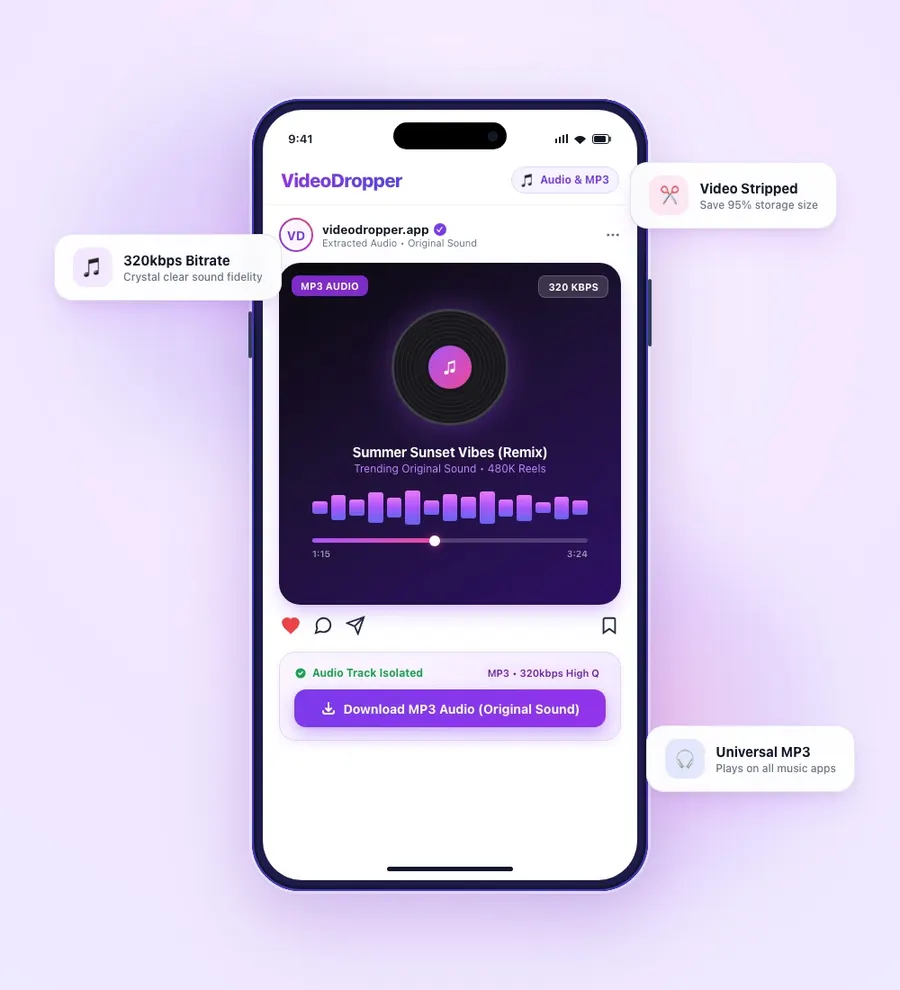
Instagram To MP3 Extractor
While browsing Instagram, you frequently stumble across viral remixes, unreleased music previews, motivating podcasts, and catchy voice clips that you want to listen to on repeat.
Saving entire video files consumes unnecessary phone storage and drains battery life during playback. VideoDropper strips away the heavy video stream and isolates the high-bitrate audio track, providing a lightweight, universal MP3.
Use your extracted MP3 files for customized phone ringtones, background soundtracks for your own video projects, or to expand your offline music player playlist without paying for subscription tools.
Why Download Instagram Audio Offline?
Instagram is one of the world's primary launchpads for viral music tracks, lo-fi remixes, sound effects, and podcast soundbites. However, saved audio links inside the app frequently get muted, pulled from regional libraries, or disappear when creator accounts change.
Extracting standalone MP3 files gives you permanent ownership of trending audio without wasting storage on heavy video streams. Here is why saving Instagram audio offline is essential:
High-Bitrate MP3 Extraction (Up to 320kbps)
We process audio streams at up to 320kbps, ensuring zero loss of dynamic range, bass depth, or vocal clarity. Every nuance of the original sound design is preserved for an audiophile-friendly listening experience.
Content Creator Audio Assets & Video Editing
Video creators and podcast editors regularly need trending sound effects and background scores. VideoDropper allows you to quickly download audio clips and import them directly into Premiere Pro, Final Cut, or CapCut.
Lightweight Offline Listening & 90% Less Storage
Audio files require up to 90% less device memory compared to 1080p video files. Save entire compilations of study beats, motivational speeches, and trending songs without cluttering your phone gallery.
Universal Cross-Platform Playback
MP3 is the universal audio standard. Play your files on Apple Music, Spotify Local Files, VLC, Android media players, car stereos, and desktop media suites without needing format converters.
Custom Phone Ringtones & Morning Alarms
Convert viral audio moments, comedy sketches, or favorite song hooks into custom ringtones, notification tones, and morning alarm sounds on iPhone and Android in seconds.
Protection Against Muted or Pulled Sounds
Trending audio on Instagram regularly gets muted or removed due to licensing expirations and regional copyright takedowns. Downloading the MP3 ensures your favorite tracks remain yours permanently.
Why Download Audio with VideoDropper?
Developed to deliver the fastest, cleanest, and highest fidelity Instagram audio extraction experience available.
Ultra-Fast Extraction
Our cloud converter extracts and packages the MP3 audio stream from any Instagram video in under two seconds.
Pure Sound Without Ads
No annoying voice tags, inserted audio ads, or website watermark intros. You receive the exact untouched soundtrack.
Studio Audio Bitrate
Extracted directly at the highest available stream bitrate, ensuring full dynamic range, deep bass, and crystal clear vocals.
Lightweight & Efficient
Keep hundreds of audio files without filling your device memory. Perfect for offline music players, podcasts, and soundboard collections.
100% Anonymous & Private
Never enter your Instagram password or link personal accounts. Audio tracks can be saved anonymously without notifying the creator or tracking downloads.
Universal Compatibility
Works seamlessly in any browser across iOS (iPhone & iPad), Android, Windows, Mac, and Linux without installing extensions or software.
How to Save Instagram Audio on Any Device
iPhone (iOS)
Copy the Reel link on Instagram. Open Safari, go to VideoDropper.app/audio, paste the link, and tap Download MP3. The audio file saves directly to your Files app.
Android
Copy the Instagram post link. Open Chrome, navigate to VideoDropper.app/audio, paste the URL, and tap Download MP3. The track saves straight to your Music / Downloads folder.
PC / Mac
Copy the video URL from your browser address bar. Open VideoDropper.app/audio, paste the URL, and click Download MP3 to save the audio file directly to your computer.
Frequently Asked Questions
Common questions about extracting MP3 audio from Instagram.
What audio format does VideoDropper provide?
We extract audio into universal MP3 format at maximum possible bitrate (up to 320kbps), compatible with all audio players and editing suites.
Can I extract audio from Instagram Reels and regular videos?
Yes! VideoDropper supports audio extraction from all Instagram Reels, feed videos, and IGTV clips.
Can I download audio from private Instagram posts?
No, to uphold privacy security, VideoDropper only processes public Instagram media.
Can I use downloaded audio in my video projects?
Yes! The downloaded MP3 file can be imported directly into video editors like CapCut, Premiere Pro, InShot, and Final Cut.
Is there any conversion fee or download limit?
VideoDropper is 100% free with unlimited audio conversions and no subscription requirements.
Do I need to install any software or extensions?
No installation is needed. VideoDropper runs entirely in your web browser across iOS, Android, macOS, and Windows.